Assignment Groups
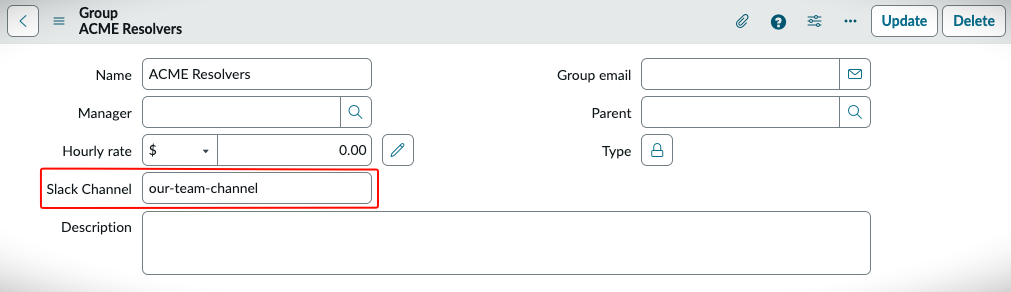
The current version of Dispatch supports a simple pre-defined template for Assignment Groups. You simply need to put the channel name into the appropriate field on the Assignment Group record. We have made changes so the Manager of a group has the ability to update this field.
Warning
Please do not include the # in the channel name.
You will also have to install the Dispatch App into your channel so it can send the updates.
Installing Dispatch⚓︎
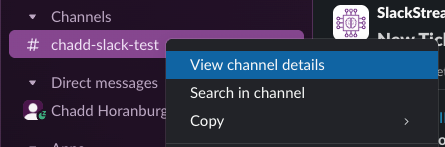
In order to install Dispatch you just need to right-click on the channel in question and select View channel details.
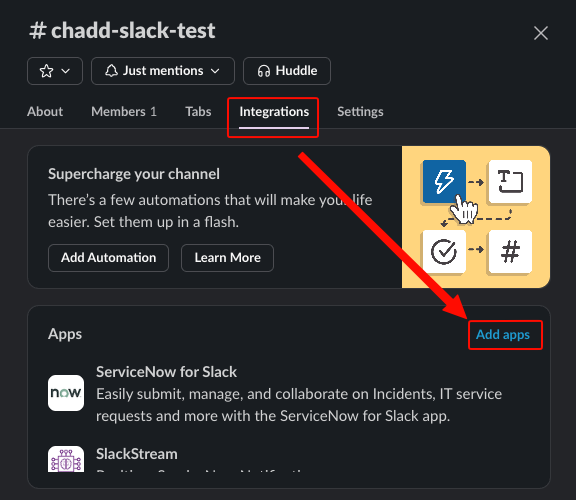
From there just click on the Integrations tab and then click on Add Apps
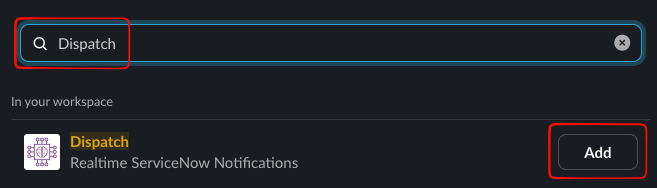
In the new screen simply search for Dispatch and click on the Add button.